

With the rise of cloud telephony, VoIP call recording software has become a must-have feature for businesses of all sizes, as recorded VoIP calls help with quality assurance, legal compliance, and employee training.
With VoIP call recording, you don’t have to rely on memory—every conversation is securely stored and accessible when you need it.
In this guide, we’ll explore what VoIP call recording is, how it works, and the best call recording software solutions available.
🔑 Keypoints
- VoIP call recording is a feature offered by VoIP software that allows businesses to record, store, and manage phone calls.
- VoIP call recording features that are must-haves include cloud storage and local download, AI-powered transcription, multi-device compatibility, and integration with CRM tools.
- VoIP call recording works by capturing voice data transmitted over the internet and storing it in a digital format.
- Types of call recording are on-demand call recording, automatic call recording, and custom call recording.
- The different types of VoIP call recording solutions are hosted recording, software-based recording, and hardware/appliance or on-premise recording.
- Top VoIP call recording software are KrispCall, RingCentral, Nextiva, Ooma, and 8×8.
What is VoIP Call Recording?
VoIP call recording is a feature that allows organizations to record, store, and manage telephone calls made over a VoIP network. Unlike traditional landline call recording, which needs specialized hardware, VoIP recording is cloud-based, digital, and more adaptable.
VoIP recording makes it possible for companies to record calls automatically or manually record calls. This ensures critical calls are saved in order to train, improve quality, and resolve issues. Such call records can be kept in the cloud or stored in-house to be easily accessible if needed.
Whether you’re looking to record VoIP calls for customer service improvement, legal purposes, or performance monitoring, this technology offers an efficient and scalable solution.
Key VoIP Call Recording Features
When selecting a VoIP call recording software, consider features that will enhance usability, compliance, and security. The following are some of the most critical capabilities:
1. Cloud Storage & Local Download
VoIP call recording software comes with cloud storage for easy access and backup. Organizations that want more control can download recordings to store them locally in order to have them available long-term and in compliance with company policy.
2. AI-powered transcription & Analytics
Many advanced solutions use AI to transcribe recorded calls into searchable text. This enables businesses to examine conversations, gain insight, and monitor customer sentiment to optimize interactions. AI-based analytics also aid keyword spotting and trending.
3. Multi-Device Compatibility
Regardless of whether employees use desk phones, mobile apps, softphones, or web-based VoIP platforms, VoIP recording works seamlessly across different devices. This ensures that remote workers, hybrid workers, business phone system, and office-based employees all have their calls recorded without any interruption.
4. Encryption & Security Compliance
Securing call recordings from unauthorized access is crucial. Enterprise-class VoIP recording software provides end-to-end encryption, secure storage, and regulatory compliance with industry regulations like GDPR, HIPAA, and PCI-DSS. Which makes call recording suitable for businesses in finance, healthcare, and customer service.
5. Playback & Advanced Search
Scanning through hundreds of recorded calls manually can be troublesome. Advanced search features allow users to sort recordings by date, caller ID, agent name, call length, and even transcriptional keywords, making the search process easy and time-saving.
6. Call Tagging & Notes
Some software allows users to tag recordings with labels (e.g., “customer complaint,” “sales inquiry”) and add notes that can be saved for future reference. This feature is useful particularly for quality assurance teams and managers reviewing interactions.
7. Role-Based Access Control
Not everyone in an organization should have access to all recordings. Role-Based Access Control (RBAC) provides access and allows downloading or deletion of the recordings only to authorized personnel (e.g., managers, compliance officers), thus maintaining privacy and security.
8. Integration with CRM & Business Tools
A good cloud call recording system integrates with business tools, cloud CRM software, and helpdesk software. This helps businesses synchronize customer profiles with call data, track interactions, and automate workflows to improve customer service and sales operations.
How VoIP Call Recording Works?
VoIP call recording works by capturing voice data transmitted over the internet and storing it in a digital form. Unlike traditional landline call recording, which requires physical hardware, VoIP recordings are managed through cloud-based software or in-house systems.
The key steps that are taken to capture VoIP call recordings are:
- Initially, digital packets of audio data are captured that are transmitted over the internet during almost all recording VoIP calls.
- Then, all the unnecessary information is filtered out.
- After filtration, extracted audio is stored in the form of a digital file on a desired storage system.
- After storage, recordings can be retrieved and played easily through the VoIP service dashboard.
Types of Call Recording
There are three primary types of VoIP call recording, each with varied advantages depending on business needs.
1. On-demand call recording
On-demand call recording allows users to start and stop recording during a call manually. This is suitable for businesses that must record select conversations, e.g., legal discussions or executive-level customer calls.
2. Automatic call recording
In automatic recording, all calls are recorded automatically once the call is connected, and there is no need to change the recording setting. This type is suitable for businesses that require call records for quality, compliance, and training.
3. Custom call recording rules
Some VoIP solutions offer the option to create custom call recording rules. Businesses can configure recordings by call type or department/agents, keywords, and caller ID or number. Custom call recording rules enable businesses to record only their most critical calls.
How to Set Up Call Recording In A VoIP System?
Setting up VoIP call recording is a straightforward process, but it requires careful configuration to bring out the best performance from it. Follow these steps to enable call recording VoIP in your system:
Step 1: Initial Setup
To enable the recording of calls, log in and navigate to the admin console or the control panel given by your VoIP phone service provider. On the call recording setup, activate the call recording facility if your VoIP account is enabled with a recording option.
Step 2: Choose Recording Type
After you have activated the recording facility, choose the type of call recording that suits your requirements the most-on-demand, automatic, or custom for the greatest flexibility.
Step 3: Customize Recording Rules
Based on the type you select, set up the recording rules to define when and how calls should be recorded. Rules can be customized based on call duration, time, or particular departments.
Step 4: Manage Recording Access
Once you customize the rules, set permissions to determine who can access and handle recorded calls; this ensures that only authorized personnel have access to sensitive information.
Step 5: Download Recordings
Finally, set up a process to download or store the recordings securely for review, call center compliance, or analysis when required. Ensure that your storage adheres to industry standards such as GDPR, HIPAA, or PCI-DSS.
Through this process, organizations can simply adopt VoIP call recording without compromising compliance, security, and efficient call management.
Call Recording Policies and Regulations
VoIP call recording is not just a technology; it is also subject to legal and ethical regulations. Different countries and industries have specific laws on when, how, and why companies can record calls. Not following these rules can result in serious fines and legal issues.
Some of the key call recording regulations are:
- Consent Requirement: This includes One-Party Consent and Two-Party Consent laws.
- Disclosure of Recording: The Caller must be clearly informed about the call recording at the beginning of the conversation.
- Purpose of Recording: The recording must be used for legitimate business purposes and must not be misused.
- Data Protection: All the recordings must be kept private and protected as it is considered personal data.
Note: Not all jurisdictions follow these exact rules. In some countries (e.g., Germany), all-party consent is required.
Some of the best practices for legal compliance are:
- Always inform participants when calls are being recorded.
- Use VoIP solutions that offer encryption & secure storage.
- Follow industry-specific guidelines.
- Regularly audit your call recording policies to stay updated with regulations.
By following these call recording laws and best practices, businesses can avoid legal risks while leveraging VoIP call recording for quality assurance and compliance.
Types of VoIP Call Recording Solutions
Businesses have different needs when it comes to VoIP call recording, and choosing the right solution depends on factors like storage preferences, security requirements, and scalability.
Here are the three main types of VoIP call recording solutions:
| Solution Type | Best For | Pros | Cons |
| Hosted (Cloud-Based) Recording | Businesses needing flexibility & remote access | No hardware requirement, scalable, highly secure, access from multiple platforms | Internet-dependent, potential storage costs |
| Software-Based Recording | Companies wanting local control | More customization, integrates with CRM, allows advanced recording rules | Requires IT expertise, storage limitations |
| On-Premise Recording | Enterprises with strict compliance needs | Full security control, private storage | High upfront costs, ongoing IT maintenance, less flexible |
Let’s take a detailed look at the different types of VoIP call recording solutions:
1. Hosted Recording
In hosted call recording, all recordings are stored in the cloud, allowing businesses to access and manage them from anywhere. This solution is ideal for companies that need flexible storage, automatic backups, and a remote office phone system.
2. Software-Based Recording
This type of VoIP call recording solution involves installing call-recording software on a VoIP phone system, server, or workstation. The software captures and stores recordings locally or on a private cloud, allowing businesses to manage and secure their data in-house.
3. Hardware/Appliance or On-Premise Recording
On-premise call recording solutions use physical servers or devices to capture and store calls within a company’s private infrastructure. This is common in industries like finance, healthcare, and government, where strict data privacy regulations require businesses to keep sensitive information in-house.
Business Benefits of Recording Calls
VoIP call recording offers numerous advantages that allow businesses to enhance customer support, team performance, and record-keeping. The following are some of the ways cloud call recording benefits organizations:
1. Enhance customer support quality
Customer interactions via call recordings provide businesses with a taste of actual situations, allowing them to evaluate and refine their support strategy. Some of the steps to take include:
✔ Observe how the agents react to questions and complaints.
✔ Identify areas for improvement in service and train employees accordingly.
✔ Use recordings to create customer support best-practice guidelines.
📌 Example: A support team notices repeated complaints about a specific product feature. By reviewing call recordings, they identify recurring pain points and update their troubleshooting process.
2. Improve employee performance
VoIP call recording allows organizations to assess the performance of employees and provide constructive feedback. Instead of relying on assumptions, managers can:
✔ Listen to actual conversations and identify strengths and weaknesses.
✔ Train new hires with actual scenarios.
✔ Set quality standards from high-performing agents.
📌 Example: A sales manager plays recorded calls of high-performing reps to train new employees on effective sales techniques.
3. Identify areas of improvement
Listening to recorded calls can show trends, patterns, and business expansion opportunities. Businesses can identify these patterns and take actions like:
✔ Pinpoint recurring customer problems and address them before they happen.
✔ Adjust marketing strategies based on customer feedback.
✔ Identify inefficiencies in internal processes.
📌 Example: A business realizes that many customers are asking for a feature they do not offer. This data triggers a new product update that increases customer satisfaction.
4. Maintain call records
Call recordings are proof of calls, enabling businesses to have a good record in case of conflicts or audits. Some of these benefits include:
✔ Compliance with industry regulations.
✔ Protection against misunderstandings or violation of contract.
✔ Ready reference for past customer interactions.
📌 Example: A financial institution records a client’s call to ensure that they adhere to regulatory norms and avoid legal risks.
5. Resolve disputes
There can be disputes between customers, staff, or business partners at any time. Recorded calls help companies to:
✔ Provide factual evidence in case of a dispute.
✔ Clarify miscommunications and find fair resolutions.
✔ Protect the company from false claims or charges.
📌 Example: A customer complains that they were promised a discount that was not provided. By hearing the call recording, the company confirms the facts and fairly resolves the issue.
Top VoIP Call Recording Software
With numerous VoIP call recording solutions available, it can be challenging to determine the best fit for your business needs.
1. KrispCall
KrispCall is an AI-powered modern phone system that is specially designed for businesses and professionals. Its call-recording feature allows users to record both inbound and outbound calls effortlessly. The platform also provides call tagging, call monitoring, and storage options to meet business needs for compliance and security.

KrispCalls call recording software effortlessly records calls, removing background noises for audio clarity during live calls. Also, it provides an audio playback option to play recorded calls at normal, 1.5x, or 2x speed.
Features
Some important features that it has to offer are
- Automatic and on-demand call recording
- Cloud Call Storage & Organization
- Secure cloud storage and encryption
- Call playback, tagging, and notes
- Encrypt recordings and access controls from any device anywhere
Pricing system
| Plans | Price |
| Essential | $15/user/month. |
| Standard | $40/user/month. |
| Enterprise | Custom pricing to meet the needs of the business. |
2. RingCentral
RingCentral is a cloud-based communication platform that offers a variety of comprehensive communication features, including call recording. This provider mainly focuses on AI integration to help companies improve communication and customer services.
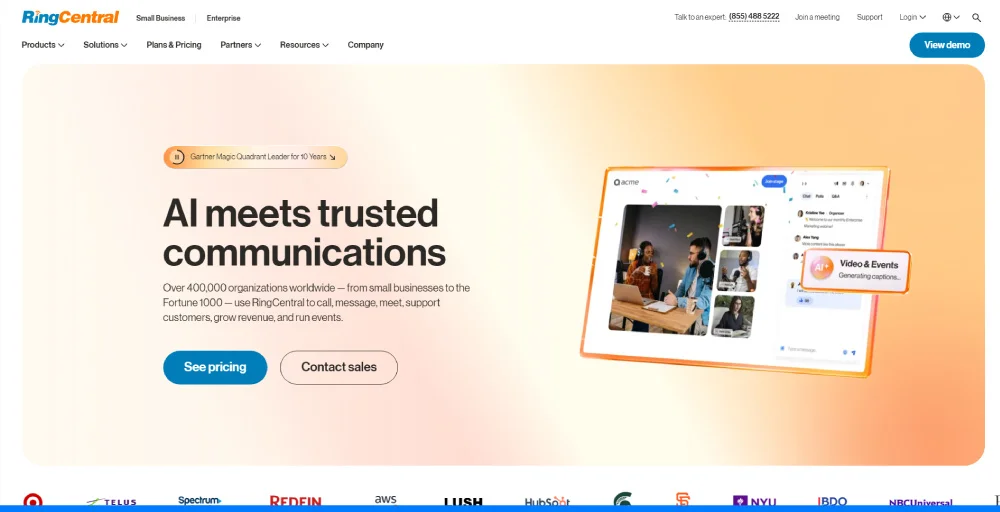
This platform provides both automatic and on-demand recording and includes advanced features such as transcription, call analytics, and cloud storage.
Features
Some important features that it has to offer are
- Cloud-based call recording
- Automatic call recording options
- Real-time analytics and transcription
- Advanced search to find recorded calls quickly
- Encryption and compliance support (GDPR, HIPAA)
Pricing system
| Plans | Price |
| Core | $30/user/month. |
| Advanced | $35/user/month. |
| Ultra | $45user/month. |
3. Nextiva
Nextiva is a cloud-based communication platform offering a range of products and services for businesses to help them acquire, retain, and grow customers. Their system automatically records all calls, stores them securely in the cloud, and offers easy access for playback and analysis.

Nextiva allows companies to reduce costs, boost productivity, and reduce attrition through AI integration and automation. It provides a hosted contact center with real-time insight and helps to unify all customer interactions, which makes it a great choice for your business.
Features
Some important features that it has to offer are
- Unlimited call recording
- Cloud storage with easy retrieval
- CRM integration for better call management
- Advanced call analytics and reporting
- Encryption for security and compliance
Pricing system
| Plans | Price |
| Digital | $25/user/month. |
| Core | $36/user/month. |
| Engage | $50/user/month. |
| Power Suite | $75/user/month. |
4. Ooma
Ooma Office is the smartphone that businesses can adopt with its simple and easy setup. This service provider gives two options based on your need, either for personal use or business use.

It is a popular VoIP provider that offers reliable call recording features, perfect for businesses looking for an affordable solution
Businesses can increase productivity and efficiency with the great features provided by this VoIP. More than 100 features with user user-friendly interface make this a good choice as a VoIP provider for small businesses and startups.
Features
Some important features that it has to offer are
- Automatic call recording
- Call analytics and reporting
- Cloud storage for recorded calls
- Integration with third-party applications
- Compliance with legal standards
Pricing system
| Plans | Price |
| Essentials | $19.95 per user/month. |
| Pro | $24.95 per user/month. |
| Pro Plus | $29.95 per user/month. |
5. OpenPhone
OpenPhone stands out with its user-friendly interface and affordable pricing options, which makes it the perfect choice for startups and HVAC companies. This provider’s call transcriptions feature allows businesses to review conversations for quality assurance, compliance, and training purposes.

OpenPhone VoIP provider enables team members to share and review recorded calls, which improves collaboration and decision-making. With affordable pricing and scalability, it is one of the best choices for startups and growing businesses.
Features
- Cloud storage for recordings
- On-demand call recording
- Integration with CRM tools and email platforms
- Encrypted recordings
- Advanced features for call management and analysis
Pricing system
| Plans | Price |
| Starter | $15/user/month. |
| Business | $23/user/month. |
| Scale | $35/user/month. |
| Enterprise | Custom pricing (contact sales team) |
6. 8×8
8×8 is another reliable VoIP provider that offers cloud-based communication services with an emphasis on providing call recording, analytics, and advanced call management. It is a well-built system with a friendly user interface.

8×8 allows businesses to save phone call recordings to a desktop, to a Dropbox account, or keep them in 8×8’s cloud storage. Moreover, it works with famous CRM platforms such as Salesforce, Microsoft Dynamics 365, Zendesk, Zoho, Freshdesk, and so on.
Features
- Unlimited call recording
- Integration with CRM software
- Real-time analytics and transcription
- Review, download, or delete call recordings
- Automatic announcement of call being recorded
Pricing system
Contact with 8×8 sales team to learn about pricing and plans.
7. Vonage
Vonage Business Communication (VBC) offers more than 40 unified communication tools, including call recording, call routing, video conferencing, business SMS, and call analytics. This provider offers encrypted communications on both audio and video to deliver robust security.

Vonage can be accessed from different devices as it has a desktop app, mobile app, and desk phone. This platform supports both automatic and on-demand recording that offers businesses advanced analytics and reporting.
Features
- Automatic call recording
- Secure cloud storage
- Customizable recording rules
- Integration with CRM platforms
- Advanced call analytics and reporting
Pricing system
| Plans | Price |
| Mobile | $19.99/month/per line plus taxes & fees |
| Premium | $29.99/month/per line plus taxes & fees |
| Advanced | $39.99/month/per line plus taxes & fees |
8. Phone.com
Phone.com is a Voice-over-IP (VoIP) service provider that enables businesses with inbound and outbound calls using the internet. It offers a cost-effective VoIP solution with essential features, including call recording. It will enable various recording options to choose from, like all calls, all incoming calls, all outbound calls, or your custom setup.

Phone.com allows easy access to call recording through an online portal that allows users to search, play back, and download specific recordings. It’s mainly designed for small and medium-sized enterprises.
Features
Some important features that it has to offer are
- On-demand recording
- Automatic call recording
- Secure cloud storage
- Customizable notification alerts
- Basic call analytics
Pricing system
| Plans | Price |
| Basic | $15/mo/user. |
| Plus | $22.50/mo/user |
| Pro | $33.33/mo/user |
Conclusion
VoIP call recording is a powerful feature that can benefit businesses of any size. Cloud call recording helps businesses enhance customer service, ensure compliance, and improve team performance. With features like on-demand and automatic recording, customizable rules, and secure storage, companies can effortlessly capture and analyze conversations.
Choosing the right call-recording solution—hosted, software-based, or on-premise—will allow businesses to maintain records, resolve disputes, and optimize operations. Top providers like KrispCall, RingCentral, Nextiva, and 8×8 offer effective recording features that enable businesses to maintain call records, resolve conflicts, and optimize operations.
Investing in VoIP call recording software will improve customer service, maximize staff performance, and deliver valuable insight from every call. So, invest in VoIP call recording today to take your business communications to the next level and stay ahead of the game.
FAQ
Why do businesses record calls?
Businesses record calls to improve customer service, monitor employee performance, ensure compliance with legal requirements, and have accurate documentation for dispute resolution.
Where are recorded calls saved?
Recorded calls are mostly stored in cloud storage (for cloud-based solutions) or local servers (for on-premise solutions). Most VoIP providers provide secure storage and easy access to recordings.
How long are call recordings stored by a VoIP provider?
Most VoIP providers typically store call recordings for a minimum of 6 months. However, this duration depends on the provider and plan. Most VoIP providers offer customizable periods, while some allow businesses to store recordings without a time limit.
Is it legal to record calls?
It’s legal to record calls, but businesses must follow local laws and license requirements. Some regions require one-party approval, while others demand two-party license. Always check the laws in your area before recording.
Who can listen to the recorded calls?
Only authorized personnel such as managers, compliance officers, and customer service supervisors, can listen to the recorded calls. VoIP providers usually offer role-based access so that recordings are only accessed by those with appropriate permissions.
